
Activating Clients in the TFS Portal
Once a case is filed, easily locate your clients in the TFS Portal using the search bar—just enter their name or case number. You can also find them on the Pending Activations screen. From there, access key details like trustee information and payment schedules to quickly activate their account and keep payments moving on time—all within one secure, streamlined platform.
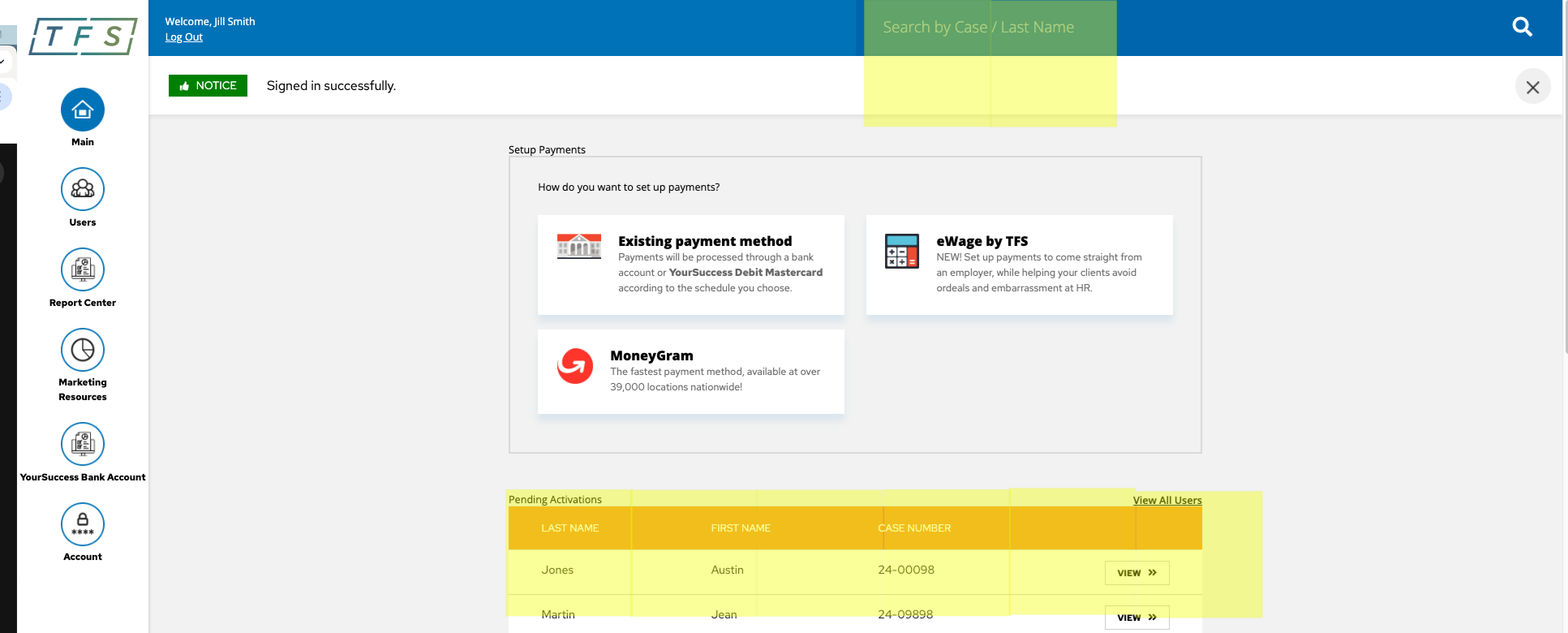
1. Simply log in, type your client's name or case number into the search box or locate them in the Pending Activation list
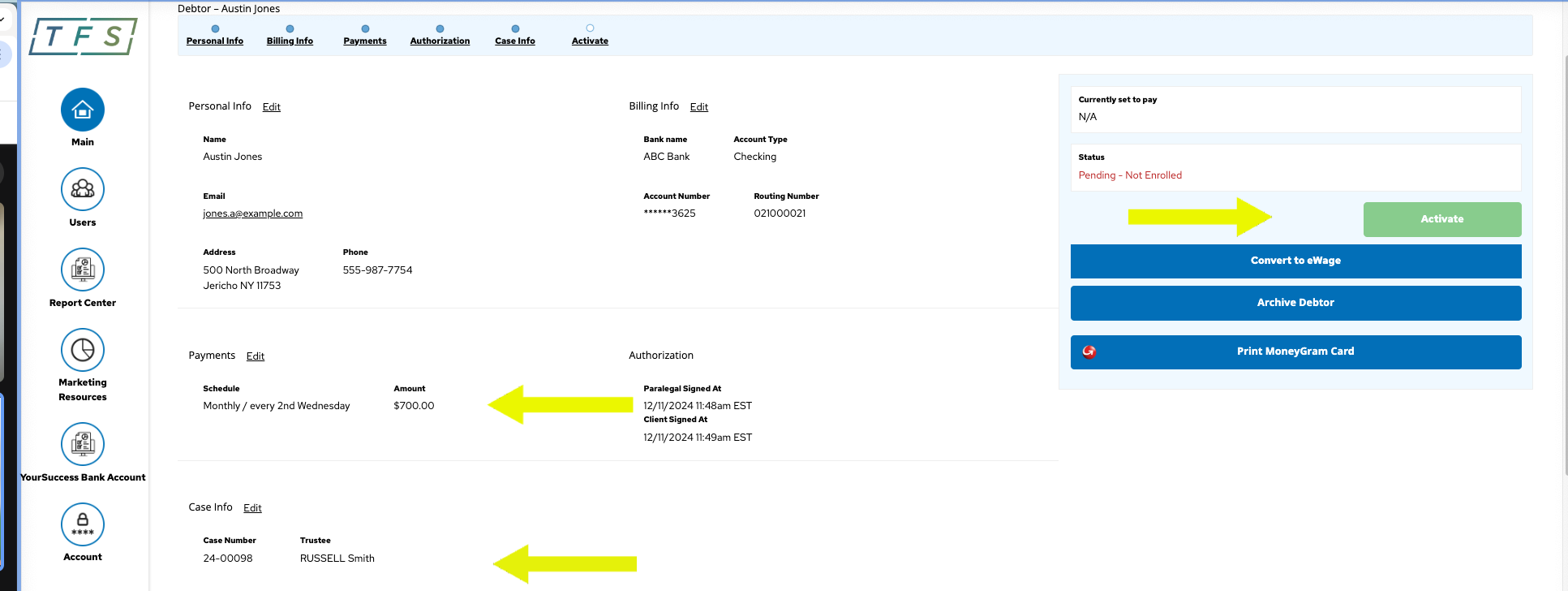
2. Add Case Information, confirm payment schedule is set up and ACTIVATE